.svg "ConversionCrew_color (1)")
.svg "ConversionCrew_white (1)")

At Conversion Crew, we know better than anyone how quickly HubSpot continues to evolve. New features, improvements, and product updates follow each other in rapid succession.
To ensure that you always stay informed about the developments that really make a difference, we will now share a monthly overview of the most important HubSpot updates. This way, you can effortlessly stay up to date and get the most out of your HubSpot environment!

Overview:
Update 1: Revamped Sales Workspace – Full Integration with your Smart CRM
Update 2: Refreshed Activity Timeline & Advanced Filters
Update 3: Enhanced Gauge Charts in Reporting
Update 4: Fully Customizable Analyze Tabs
Update 5: Real Messages No Longer Lost to Spam
Update 6: Marketing Event Associations
Update 7: Audit Logs for Conditional Property Logic
Update 8: Earliest & Latest Date Rollup Properties
Update 9: Live G2 Buyer Intent for Breeze Agents
Update 10: Improved Throttling for Marketing Emails
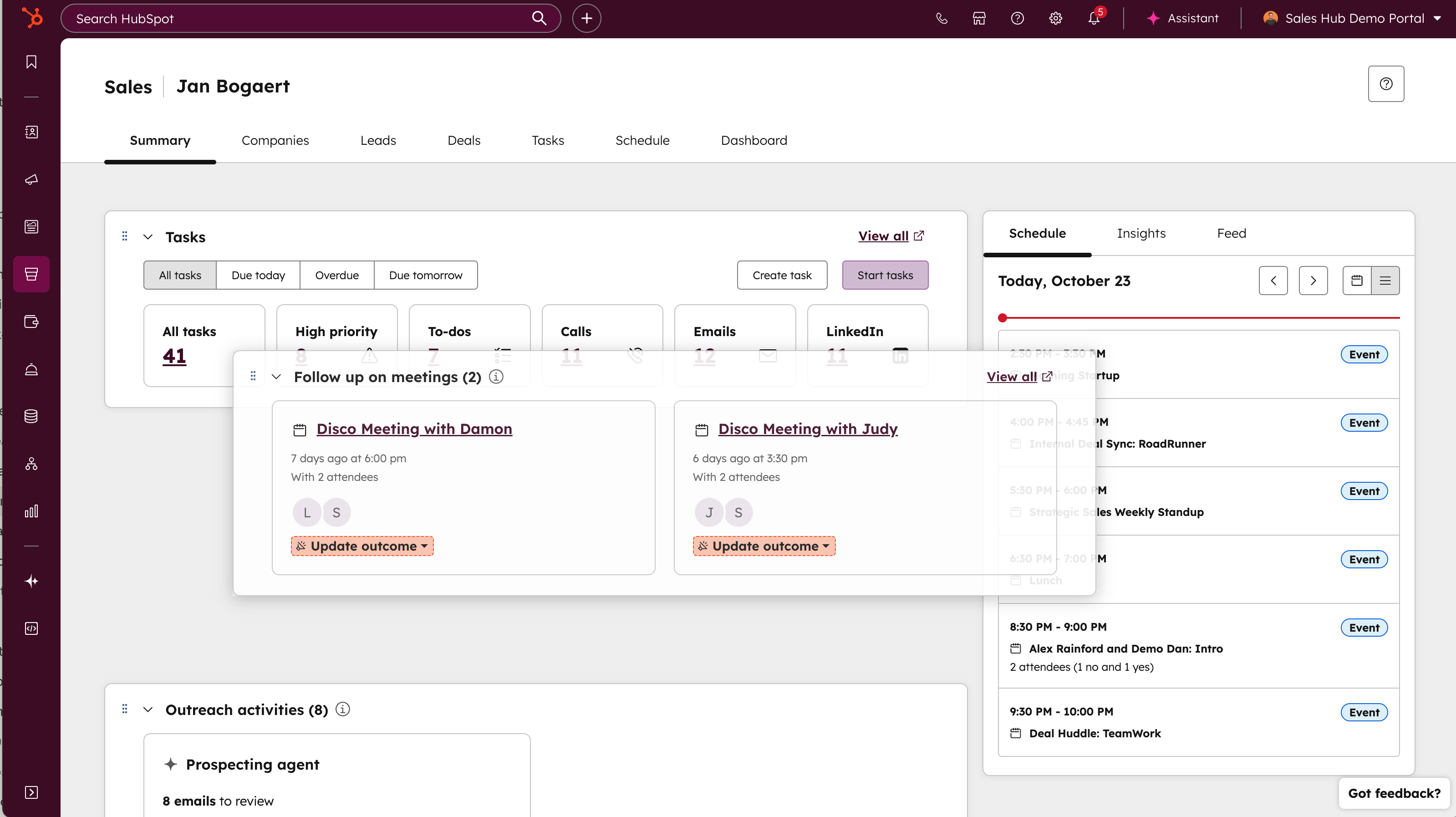
Update 1: Revamped Sales Workspace – Full Integration with your Smart CRM
No more duplicate work or switching interfaces: your Sales Workspace and CRM are now one powerful environment.
Availability
Sales Hub Professional or Enterprise.
Update 2: Refreshed Activity Timeline & Advanced Filters
Find relevant information in your CRM faster with improved visual indicators and deeper filtering options.
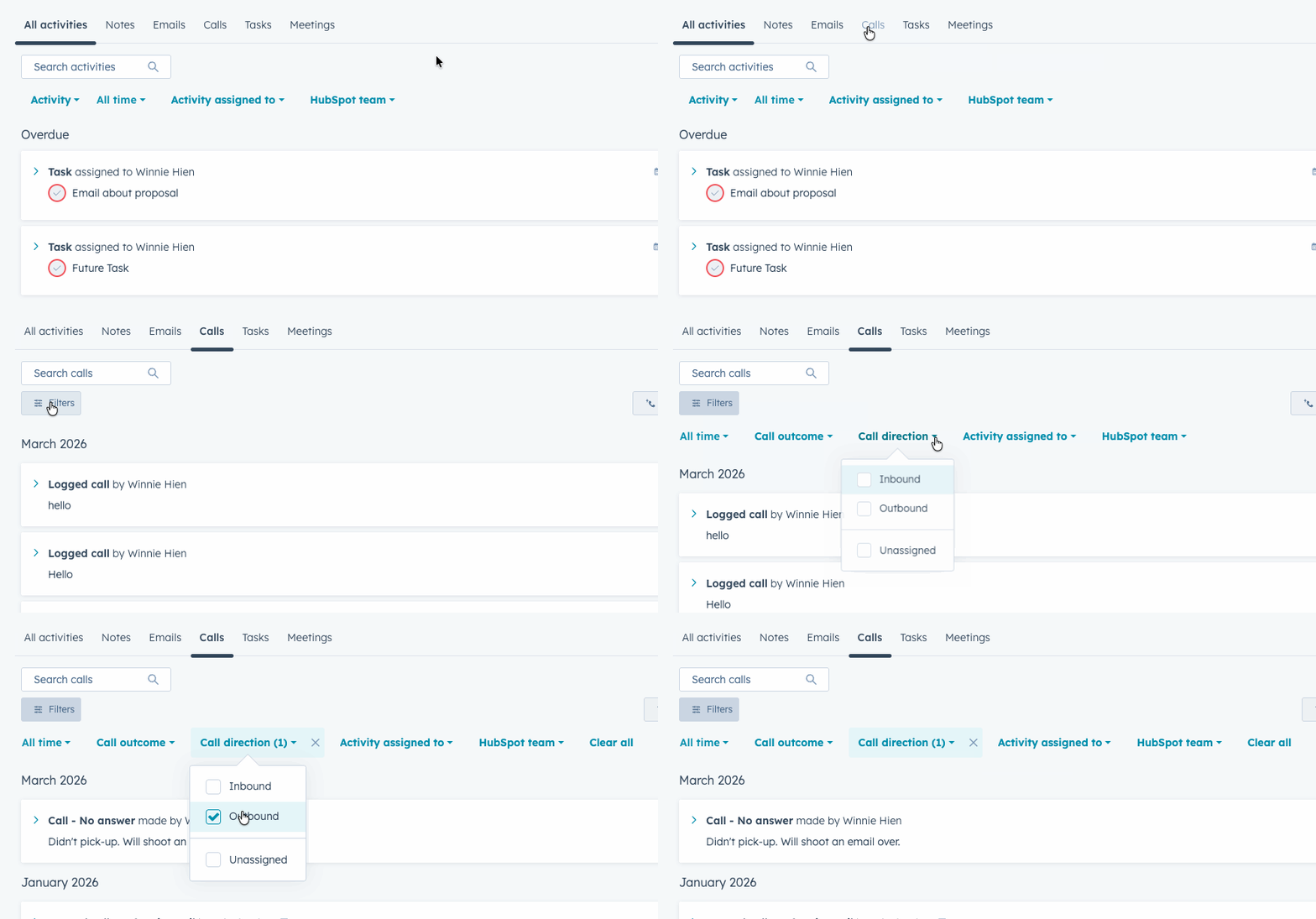
- Direction: Filter by inbound vs. outbound contact.
- Ownership: View activities from specific team members only.
- Timeframe: Zoom in accurately on a specific period.
All hubs & tiers
Update 3: Enhanced Gauge Charts in Reporting
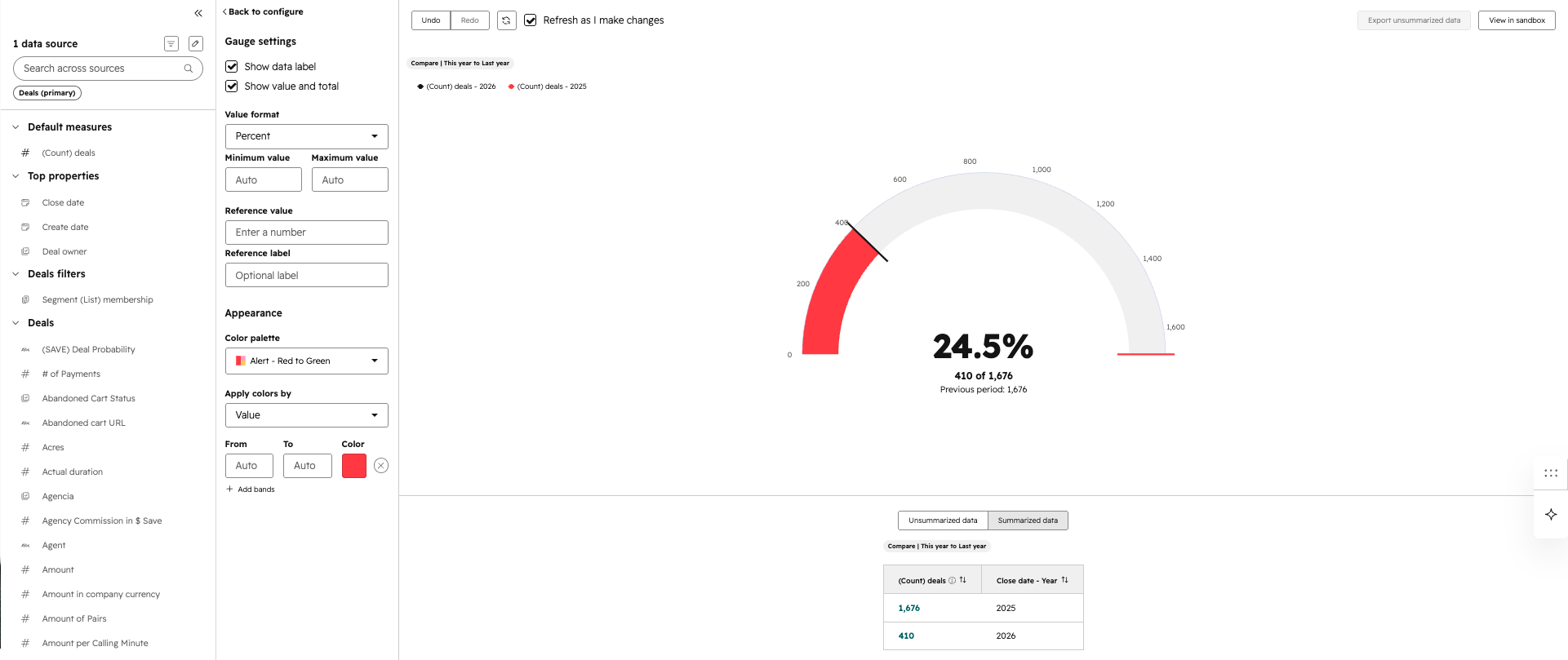
Visualize progress toward your goals more directly and powerfully, without manual calculations.
-
Percentage mode: Display your value directly as a percentage of the total.
-
Fill mode: Use color bands that fill the progress in the chart for maximum visual emphasis.
-
Progress mode labels: Show both the absolute value and the total (e.g., "$80k of $100k") below the chart for full context.
Availability
All hubs & tiers
Update 4: Fully Customizable Analyze Tabs
Bring your most important reports directly to your workspace without constantly switching between dashboards.
Why this matters
The default 'Analyze' tabs in HubSpot didn’t always reflect the specific KPIs your team tracks. Now you can fully personalize these tabs. By placing reports relevant to your goals directly into your workflow, you save time and maintain focus on results.

This is how it works
In tools like Website Pages, Social, Forms, and the Sales Workspace, you can now replace or modify the default dashboards:
- Switch Dashboards: Click the dropdown menu at the top left of the Analyze tab to select a custom dashboard.
- Manage Content: Use 'Add content' to easily drag new reports into the overview.
- Rearrange Layout: Drag reports to prioritize them. Changes are autosaved and respect existing user permissions.
Availability
All hubs & tiers
Update 5: Real Messages No Longer Lost to Spam
Prevent legitimate customer messages from going unnoticed in your spam folder with smarter AI filtering.
Why this is important
Nothing is more frustrating than a customer thinking they are being ignored because their message ended up in spam. Previously, an entire thread was marked as spam if a single message (like an auto-reply) triggered it. With this update, legitimate customer moments become visible again, directly improving response times and customer satisfaction.
-
Note: If you manually mark a conversation as spam, it will remain there.
Availability
All hubs & tiers.
Update 6: Marketing Event Associations
Finally link your webinars and live events directly to deals, companies, and revenue for airtight attribution.
Why this matters
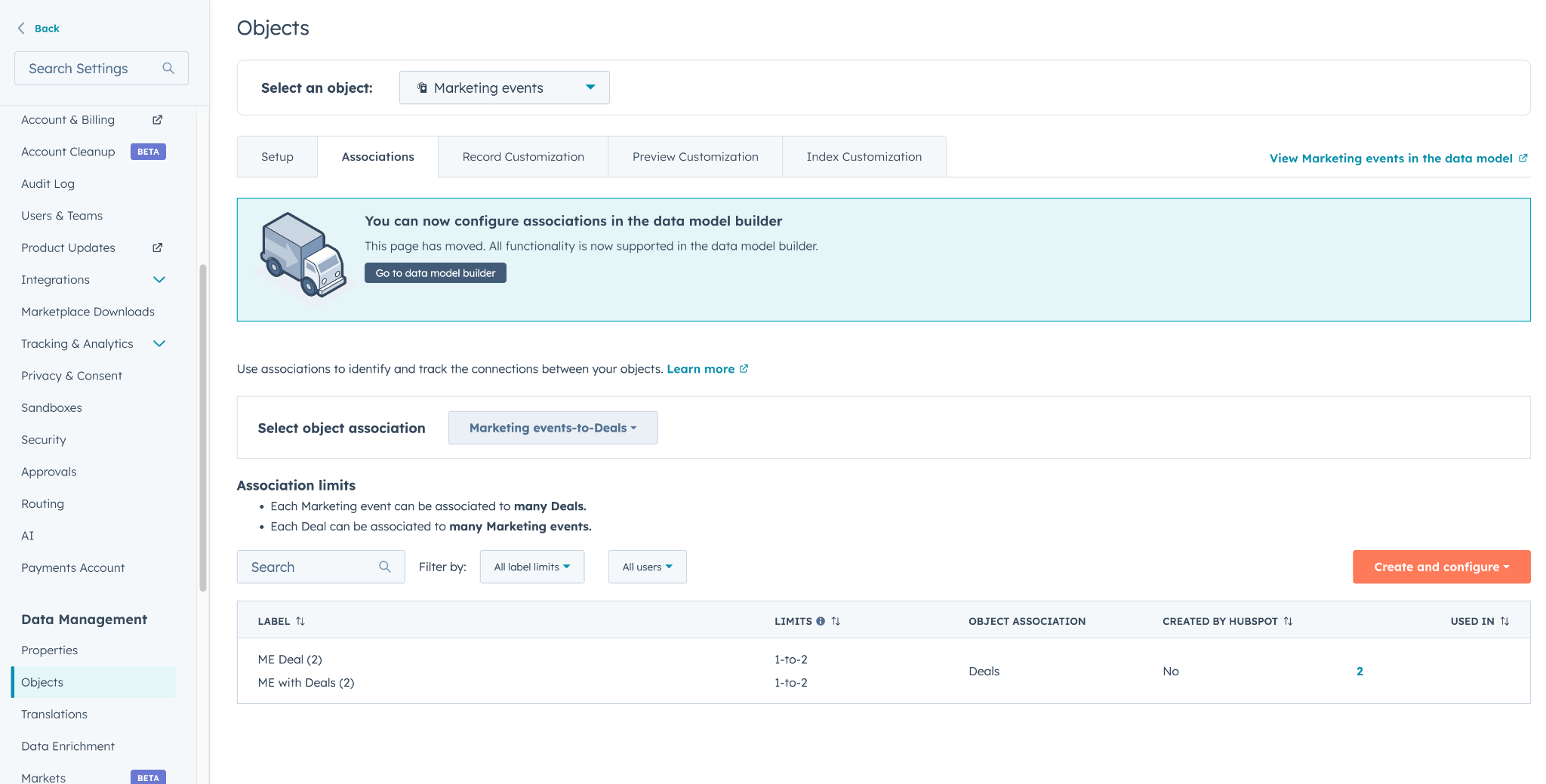
Until now, marketing event data (like Zoom or Eventbrite) lived in isolation. This made it difficult to prove the actual impact of an event on the sales pipeline. By associating events with deals, companies, and even custom objects, you can see exactly which events drive revenue.
-
Configuration: Go to Settings > Data Management > Objects > Associations and select 'Marketing Events' to create custom labels.
-
Data Model Builder: Visualize how your marketing events connect to your CRM structure to further refine your reporting.
Availability
All hubs & tiers.
Update 7: Audit Logs for Conditional Property Logic
Maintain full control over data integrity with detailed insights into changes in your property logic.
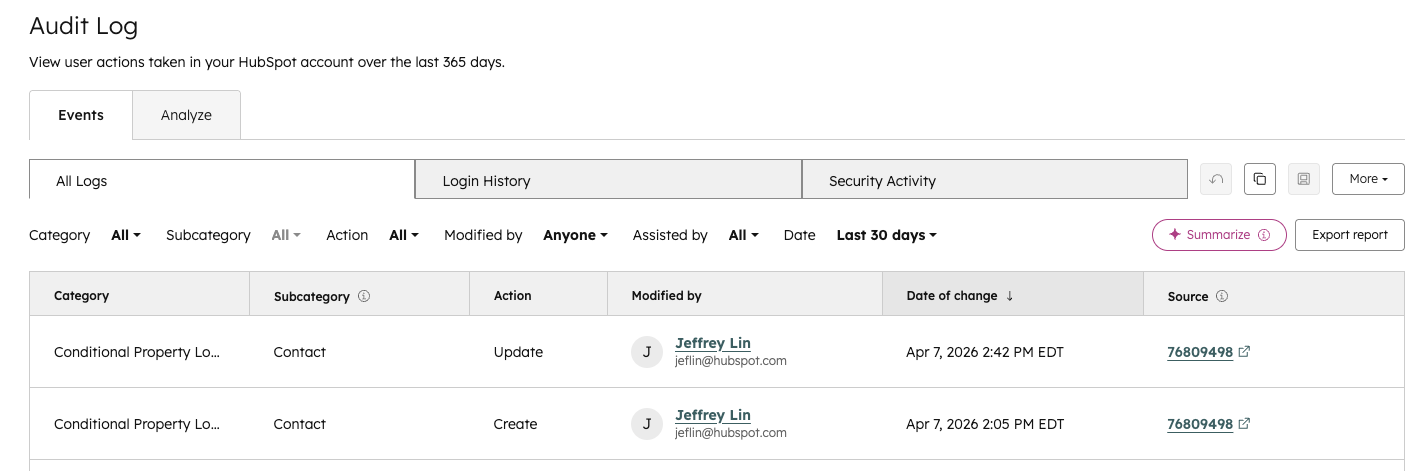
-
Location: Go to Settings > Account Management > Audit Log for the full overview.
All hubs & tiers.
Update 8: Earliest & Latest Date Rollup Properties
Gain instant insight into crucial timelines by automatically collecting the earliest or latest dates from associated records.
Why this is important
Identifying the "latest ticket activity" or "earliest contract start date" across all associated records previously required manual work. These new rollup types automate this entirely. At a glance, you can see which accounts need attention or which deals are closing first this week.
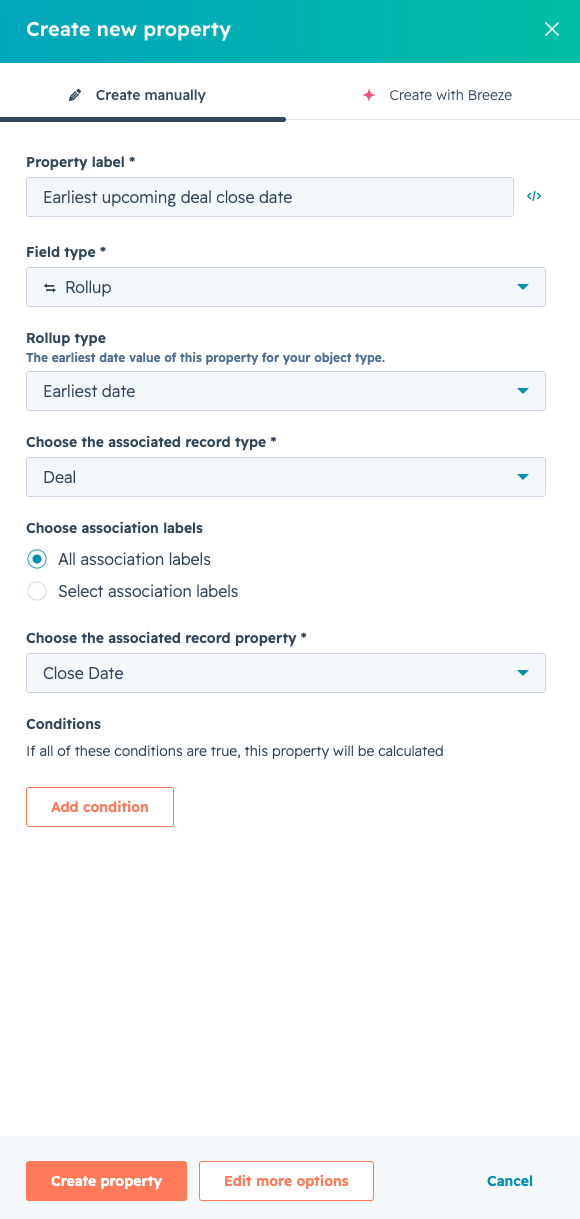
-
Earliest date: Retrieves the oldest date (e.g., "First contract date").
-
Latest date: Retrieves the most recent date (e.g., "Latest activity on a ticket").
All hubs & tiers.
Update 9: Live G2 Buyer Intent for Breeze Agents
Empower your AI agents with real-time G2 buyer intent data and stop sales reps from going into conversations 'cold'.
Why this is important
Reps often don’t know what a prospect is researching until they speak with them. With the new G2 connection for Breeze Agents, your Smart CRM gets access to live signals: which competitors is your prospect researching on G2? Use this data to personalize outreach and prioritize accounts actively in-market, resulting in shorter sales cycles.
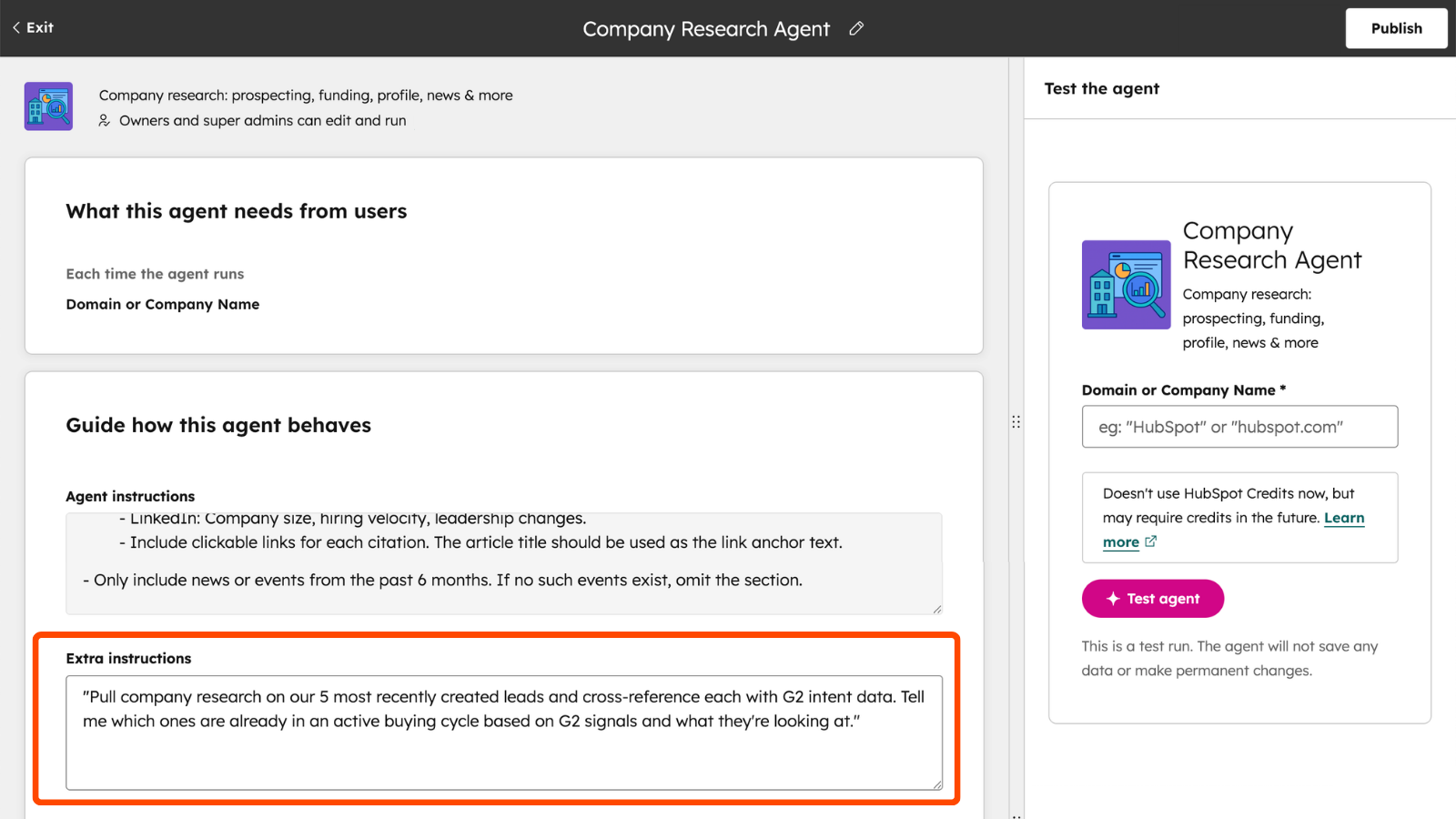
-
Connect: In Breeze Studio, add the G2 MCP to your agent via the 'MCP Servers' tab.
-
Instructions: Provide extra instructions for your agent on how to interpret G2 data.
-
Result: The agent automatically pulls G2 reviews and intent data into HubSpot to provide context for prospect research.
Availability
Breeze Studio (Professional/Enterprise) + G2 add-on.
Update 10: Improved Throttling for Marketing Emails
Maintain full control over your send rate to prevent website overload and strengthen deliverability.
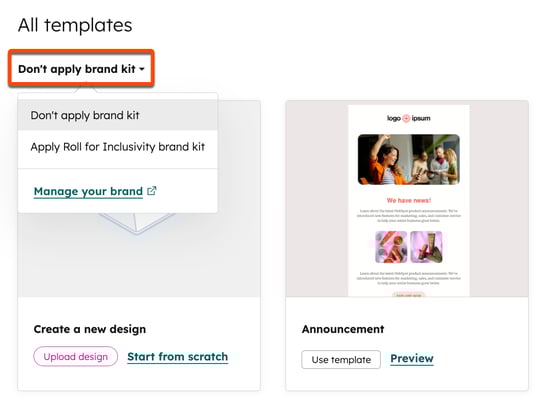
- New Flexibility: Set rates as low as 1 email/minute with a window of up to 10 days. HubSpot calculates the duration based on your list size.
Availability
Marketing Hub Professional & Enterprise.
 Meer halen uit HubSpot?
Blijf op de hoogte via onze nieuwsbrief, LinkedIn en HubSpot User Days.
Schrijf je in!Share this

HubSpot Product Updates: January 2026
HubSpot Product Updates: February 2026